
Table of Contents
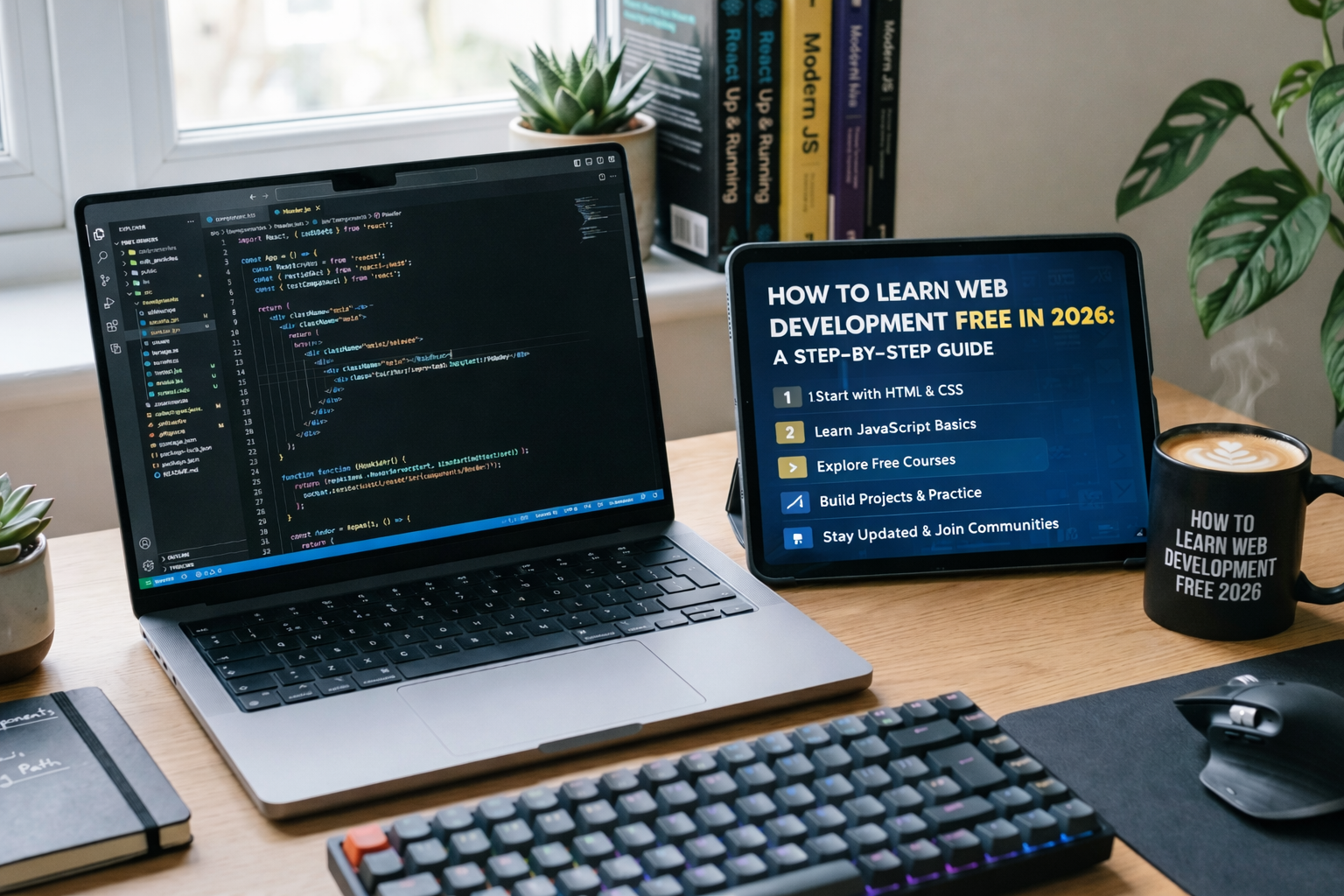
How to Learn Web Development Free in 2026: A Step-by-Step Guide
Can you really learn web development free in 2026 and actually get hired? The short answer is a resounding yes. In fact, most of the senior developers I know—myself included—didn’t start with a $50,000 degree. We started with a “Hello World” in a free browser-based editor.
However, the landscape has shifted. In 2026, simply knowing how to center a div isn’t enough. With AI coding assistants like GitHub Copilot and Cursor becoming standard, the industry now demands “AI-augmented developers” who understand architecture, accessibility, and performance.
Key Takeaways for 2026
- Focus on Fundamentals: HTML, CSS, and JavaScript are still king (65.6% of devs use JS).
- Master AI Tools: You must learn to prompt and debug AI-generated code to stay competitive.
- Build Real Projects: Employers in 2026 value your GitHub portfolio more than a certificate.
How to Learn Web Development Free in 2026: A Step-by-Step Guide
If you’re wondering how to learn web development free in 2026, you’ve come to the right place.”Before you touch a single AI tool or a fancy framework like React, you must master the core building blocks of the web. In my experience, skipping these fundamentals is the #1 reason beginners hit a wall three months in.
HTML5: The Skeleton
HTML is the structure of every website. In 2026, you shouldn’t just learn tags; you need to focus on semantic HTML. This ensures your sites are accessible to screen readers and rank well on search engines.
- Where to learn: freeCodeCamp’s Responsive Web Design is still the gold standard.
CSS3: The Skin
CSS makes things pretty. However, modern CSS has evolved. You’ll need to understand Flexbox, Grid, and the newer CSS Container Queries. In addition, learning a utility-first framework like Tailwind CSS (now used in over 23% of projects) is a massive advantage.
JavaScript (ES2024+): The Brain
JavaScript makes things interactive. By 2026, we’ve moved far beyond simple scripts. You need to understand:
- Asynchronous programming (
async/await) - API fetching
- DOM manipulation
Expert Pro-Tip: Don’t just watch videos. For every hour you spend watching a tutorial, spend two hours typing the code yourself. This “muscle memory” is what separates hobbyists from pros.
2. Leverage the Best Free Platforms for 2026
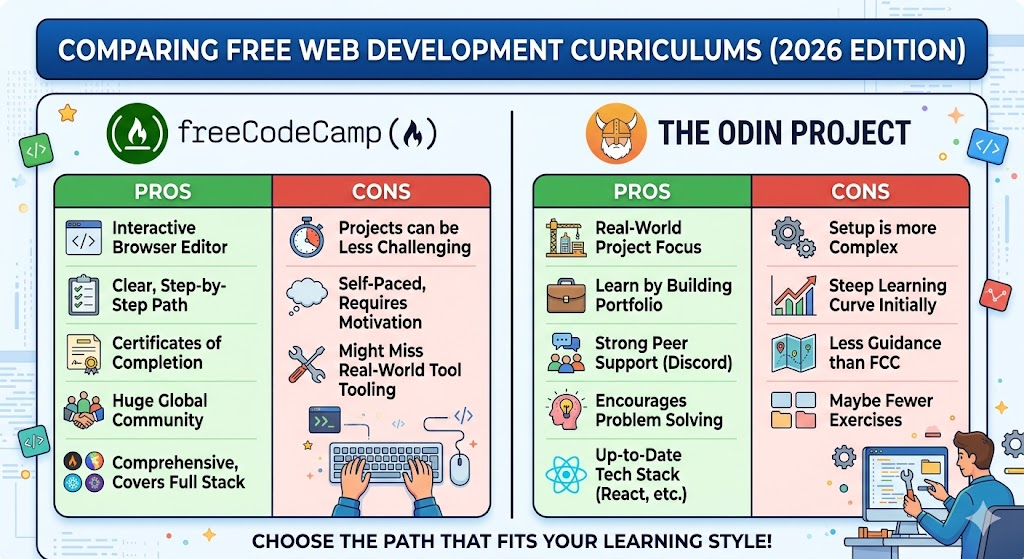
You don’t need to pay for a bootcamp. There are high-quality, free resources that are better than many paid ones. I’ve personally tested these platforms, and they are world-class.
The Odin Project
If you want a “no-nonsense” path, The Odin Project is it. It’s an open-source curriculum that forces you to set up your own environment and build projects from scratch. It’s tough, but it’s the closest thing to a real job environment.
MDN Web Docs (Mozilla)
Think of this as the “Encyclopedia of the Web.” Whenever you’re stuck on a specific JavaScript method or CSS property, MDN is the source of truth. Most experts keep an MDN tab open at all times.
YouTube University
Channels like Traversy Media, Kevin Powell (for CSS), and The Net Ninja provide 2026-ready content for free. Moreover, they often post “Full Course” videos that are 10+ hours long, covering everything from Node.js to Next.js.
3. Mastering the 2026 Tech Stack: React and Beyond
Once you’ve got the basics, it’s time to specialize. The job market in 2026 is heavily skewed toward specific frameworks.
React.js and Next.js
React remains the dominant frontend library with a 40.6% market share. However, Next.js has become the go-to for full-stack development because of its SEO benefits and speed. Therefore, learning how to handle Server Components is a must this year.
TypeScript: The New Standard
In 2026, writing “vanilla” JavaScript for large projects is becoming rare. TypeScript adds “types” to your code, which prevents bugs before they happen. Most job listings now list TypeScript as a “required” skill rather than “preferred.”
Version Control with Git & GitHub
You cannot work in a professional team without Git. Learning how to commit, push, and pull is essential. Plus, your GitHub profile is essentially your 2026 resume. [suggest internal link: “how to build a developer portfolio”]
4. The AI Factor: Coding in the Age of Assistants
Let’s be real: AI has changed web development. In 2026, 77% of developers use AI coding tools. To learn web development free in 2026, you must learn to collaborate with AI, not just let it do the work for you.
Why You Can’t Just “Copy-Paste”
If you rely solely on AI to write your code, you’ll fail the technical interview. Companies now test for “AI Literacy”—your ability to explain why the AI wrote that specific function and how to fix it when it hallucinating.
Tools to Use
- GitHub Copilot (Free Student Tier): If you have a student email, this is a lifesaver.
- Cursor: A code editor built for AI-first development.
- ChatGPT/Claude: Excellent for explaining complex concepts like “What is a Closure?” using analogies.
5. Build a Portfolio That Gets You Hired
By month six of your journey, you should stop “learning” and start “building.” A common trap is “Tutorial Hell”—watching endless videos without ever creating something original.
Project Ideas for 2026:
- AI-Integrated Dashboard: A site that uses the OpenAI or Anthropic API to summarize news.
- Progressive Web App (PWA): A task manager that works offline (PWAs are booming in 2026).
- High-Performance E-commerce: A site built with Next.js that achieves a perfect 100/100 Lighthouse score.
In my view, a portfolio with three “perfect” projects is better than ten “okay” ones. Focus on clean code, mobile responsiveness, and Web Accessibility (WCAG).
6. Networking and the “Hidden” Job Market
Finding a job is about who you know as much as what you know. Since junior roles have become more competitive due to AI efficiency, you need a human touch.
- Twitter (X) & LinkedIn: Share your “Learning in Public” journey. Post a snippet of code you wrote today.
- Discord Communities: Join the “The Odin Project” or “freeCodeCamp” Discord servers.
- Open Source: Contributing to a project on GitHub is the fastest way to show you can work on a real-world codebase. [suggest internal link: “guide to open source for beginners”]
FAQ: Learning Web Development in 2026
1. How long does it take to learn web development for free?
Generally, it takes 6 to 12 months of consistent study (about 15-20 hours a week) to become job-ready. However, this varies based on your background and how fast you grasp logic.
2. Is web development still worth it in 2026 with AI?
Yes! While AI writes code faster, companies still need human developers to design systems, ensure security, and manage complex business logic. The U.S. Bureau of Labor Statistics projects a 16% growth in the field through 2032.
3. Do I need a powerful computer to start?
Not at all. As long as your computer can run a modern browser (Chrome/Edge) and a text editor like VS Code, you’re good to go. You can even use tools like CodeSandbox to code entirely in the cloud.
4. Should I learn Python or JavaScript first?
If your goal is web development, JavaScript is the way to go. It’s the only language that runs natively in the browser. Python is great for data science, but JS is the king of the web.
5. Can I get a job without a degree in 2026?
Absolutely. Many tech giants like Google and startups alike have dropped degree requirements in favor of proven skills and a strong GitHub portfolio.
Conclusion: Your Journey Starts Today
To learn web development free in 2026, you don’t need a miracle; you need a plan. Start with HTML and CSS, move into JavaScript, and don’t be afraid to use AI as a tutor. Honestly, the hardest part is just not quitting when your code inevitably breaks (and it will).
The web isn’t going anywhere, and the demand for people who can build it is only getting stronger. So, what are you waiting for? Pick a project, open a text editor, and start building.
Which part of web development scares you the most? Let me know in the comments below, and I’ll try to help you out!


