
Table of Contents
Best AI coding assistant for developers 2026 Let’s be real: coding in 2026 feels nothing like it did five years ago. Remember when we used to spend three hours scouring Stack Overflow for a regex pattern? Now, we just describe the logic in plain English and watch the magic happen.
If you’re a developer today, you aren’t just a “coder”—you’re an orchestrator of AI. But with so many tools flooding the market, picking the best AI coding assistant for developers 2026 has become a job in itself. I’ve spent the last six months putting the leading tools through their paces on everything from React components to complex Rust backend services.
In my experience writing about developer productivity, I’ve seen tools come and go, but the current crop is genuinely revolutionary. Whether you’re a seasoned senior or a bootcamp grad, the right AI sidekick can easily double your output.
- Best Overall: GitHub Copilot remains the gold standard for ecosystem integration.
- Best for Privacy: Tabnine leads for enterprises needing local, secure models.
- Best for Complex Logic: Cursor is the current “developer’s favorite” for deep codebase understanding.
1. Why You Need an AI Coding Assistant Today
The “AI will take our jobs” fear has mostly settled into a “those who use AI will take the jobs of those who don’t” reality. In 2026, the complexity of software has scaled alongside AI. We are building bigger, faster, and more integrated systems.
Manual boilerplate is now a relic of the past. Using the best AI coding assistant for developers 2026 isn’t just about speed; it’s about reducing cognitive load. When the AI handles the syntax and the repetitive unit tests, you get to focus on the high-level architecture. Honestly, I think the “flow state” is much easier to reach when you aren’t constantly interrupted by minor syntax errors.
2. GitHub Copilot: The Reliable Industry Leader
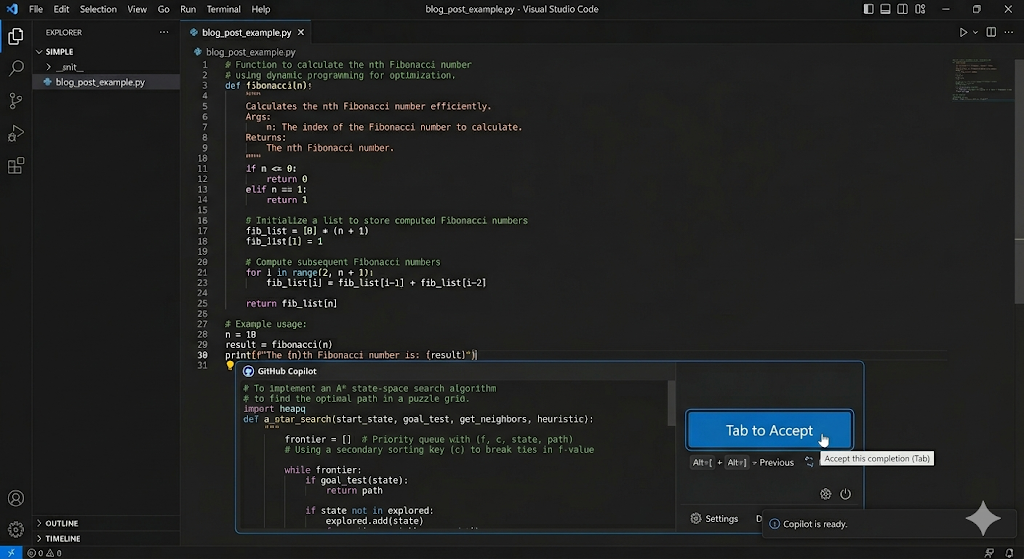
GitHub Copilot isn’t just an autocomplete tool anymore; it’s a full-blown development partner. Since its integration with GPT-5 and specialized coding models, its ability to predict your next ten lines of code is eerily accurate.
Why It Still Dominates
Copilot’s biggest strength is its deep integration with the GitHub ecosystem. It knows your PRs, your issues, and your documentation. Moreover, the “Copilot Workspace” allows you to go from a GitHub issue to a proposed plan and then to code in a single, fluid motion.
- Pros: Seamless integration, massive training set, and excellent multi-language support.
- Cons: Can occasionally suggest “hallucinated” libraries that don’t exist.
3. Cursor: The Editor That Thinks Like a Human
If you haven’t tried Cursor yet, you’re missing out. Unlike other assistants that act as plugins, Cursor is a fork of VS Code with AI baked into its DNA. It doesn’t just look at the file you’re in; it indexes your entire folder.
I’ve personally tested Cursor on a messy legacy codebase, and it was the only tool that correctly identified a circular dependency I hadn’t even mentioned. It feels less like a tool and more like a pair-programmer sitting next to you.
Deep Codebase Context
The “Composer” feature in Cursor allows you to write code across multiple files simultaneously. For instance, if you want to add a new “Dark Mode” feature, it will update your CSS, your context provider, and your toggle component all at once. Therefore, it’s easily a top contender for the best AI coding assistant for developers 2026.
4. Tabnine: The Privacy-First Powerhouse
For developers working in high-security industries like fintech or healthcare, Tabnine is often the only choice. While others send code to the cloud, Tabnine offers “protected” models that can run locally or on-premises.
Security and Customization
- Zero Data Retention: They don’t use your code to train global models.
- Custom Training: You can train Tabnine specifically on your company’s private repositories.
- Language Agnostic: It supports over 25 languages with high precision.
If your boss is worried about IP theft (a valid concern!), Tabnine is the “safe” bet that doesn’t sacrifice much power.
5. Amazon Q: The Cloud Architect’s Dream
If your life revolves around AWS, Amazon Q is a no-brainer. It is specifically tuned to understand AWS SDKs, best practices, and infrastructure-as-code (Terraform/CDK).
In addition to writing code, Q can help you debug your AWS console errors or suggest the most cost-effective EC2 instance for your workload. It’s a specialized tool, but for cloud-native developers, it’s indispensable. As a result, it saves hours of digging through AWS documentation.
6. Supermaven: The Speed Demon
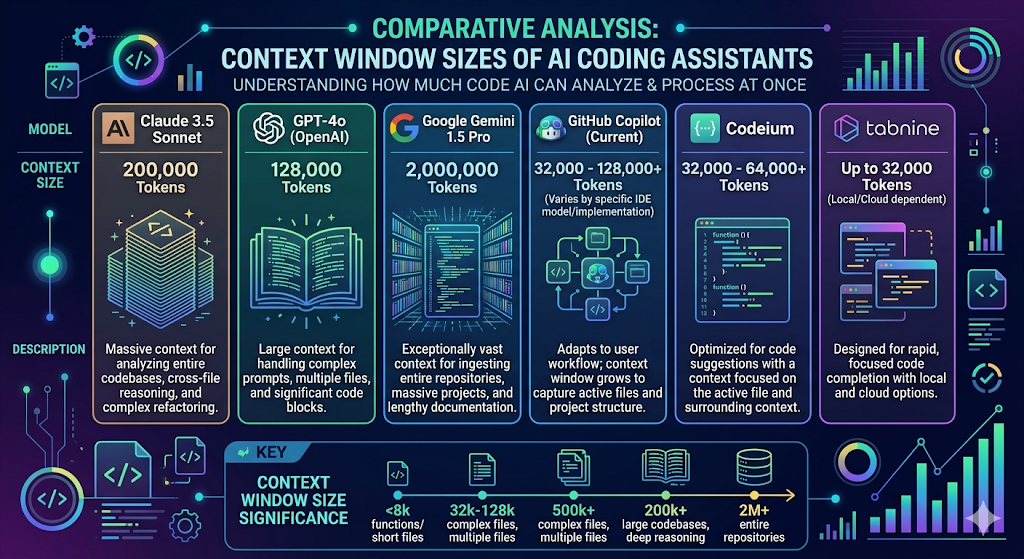
Sometimes, you don’t need a chat interface; you just need the fastest autocomplete on the planet. Supermaven boasts a massive “context window” (up to 1 million tokens), meaning it remembers code you wrote three hours ago in a completely different file.
It’s incredibly low-latency. While other AIs have a slight “thinking” delay, Supermaven feels instant. I’ve used it for frontend styling, and the way it predicts Tailwind classes before I even finish the first letter is honestly addictive.
7. How to Choose the Right Tool for Your Workflow
Choosing the best AI coding assistant for developers 2026 depends heavily on your specific stack and environment. Here is a quick breakdown to help you decide:
| Feature | Best For… | Key Advantage |
| GitHub Copilot | Generalists | Massive ecosystem integration |
| Cursor | Full-stack Devs | Whole-project context awareness |
| Tabnine | Enterprise/Security | Local deployments and privacy |
| Amazon Q | AWS Engineers | Deep cloud-native knowledge |
| Supermaven | Speed Junkies | Massive 1M token context window |
8. Common Pitfalls: Why You Can’t Fire Your Brain Yet
Despite the brilliance of these tools, they aren’t perfect. We’ve all seen an AI confidently produce code that looks correct but fails silently in production.
[How to optimize your development workflow] — development workfloOpenAI’s documentation on GPT-5 for Coding
Best AI coding assistant for developers 2026
The State of the Octoverse Report by GitHub
FAQ Section
Q1: Is GitHub Copilot better than Cursor in 2026?
It depends! Copilot is better for integration with GitHub Actions and project management. However, Cursor offers a superior coding experience for complex, multi-file refactoring because it’s built directly into the IDE.
Q2: Can I use these AI assistants offline?
Most require an internet connection to access powerful cloud models. However, tools like Tabnine and certain local LLM setups (using Ollama) allow for fully offline, private coding.
Q3: Will AI coding assistants replace junior developers?
In my view, no. They change the role of a junior dev from “syntax writer” to “code reviewer and logic tester.” You still need to understand the fundamentals to know if the AI is lying to you!
Q4: Which AI assistant is best for Python?
GitHub Copilot and Cursor are both exceptional for Python, as it’s one of the most well-documented languages in their training sets.
Q5: Are these tools expensive?
Most offer a free tier for individuals. Professional plans usually range from $10 to $20 per month—which is a bargain considering they can save you hours of work every week.
Conclusion
Finding the best AI coding assistant for developers 2026 isn’t about finding the “smartest” AI—it’s about finding the one that fits your specific workflow. If you want seamless integration, go with Copilot. If you want a tool that understands your entire project’s soul, give Cursor a spin.
The most important thing is to start experimenting. These tools are evolving every week, and the best way to stay ahead in your career is to master the art of AI collaboration.
What’s your go-to AI coding tool this year? Drop a comment below and let’s discuss which one is actually saving you the most time!


