
Table of Contents
Creating professional video used to mean expensive cameras, fancy lighting, and hours of frustrating editing. But it’s 2026, and the game has completely changed. Now, you can type a simple sentence and watch a high-definition video come to life in seconds.
If you are looking for the best AI video generator free of charge, you’ve probably noticed a frustrating trend: most “free” tools slap a giant watermark across your hard work or lock the best features behind a $50/month paywall.
I’ve spent the last few months testing dozens of platforms to find the ones that actually deliver value without demanding your credit card upfront. Whether you want to make viral TikToks, cinematic B-roll, or professional business explainers, there is a free tool built just for you.
Quick Summary: The Top 3 Picks
- Best for Social Media: CapCut (No watermark on desktop, unlimited AI features).
- Best for Realism: Kling 3.0 (Incredible physics and 66 daily free credits).
- Best for Cinematic Quality: Google Veo 3.1 (Professional b-roll via AI Test Kitchen).
1. CapCut: The King of Free Social Media Content
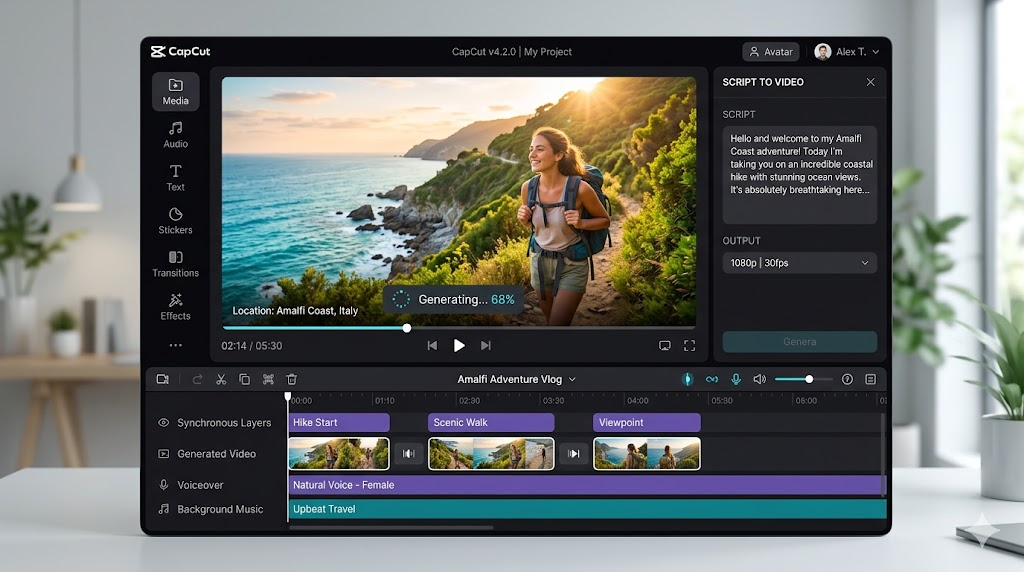
7 Best AI Video Generator Free Tools in 2026: Create Magic for Zero Dollars-In my experience writing about digital tools, CapCut remains the most accessible entry point for creators. While many know it as a basic editor, its AI video generation suite has become a powerhouse in 2026.
Cap Cut allows you to generate videos from text prompts or even turn long-form YouTube videos into short, viral clips automatically. The best part? If you use the desktop version, you can export your creations without a watermark for free.
Key Features:
- Script-to-Video: Write a script, and it finds relevant B-roll and adds a voiceover.
- Auto-Captions: Flawless subtitles in over 20 languages.
- AI Characters: Digital presenters that can speak your text with natural movement.
2. Kling 3.0: The Benchmark for Realism
7 Best AI Video Generator Free Tools in 2026: Create Magic for Zero Dollars-If you want your AI videos to look like they were shot on a Hollywood set, Kling 3.0 is the best AI video generator free option for pure visual quality.
Earlier this year, I tried generating a video of a “golden retriever wearing sunglasses surfing a neon wave.” Most tools made the dog look like a blurry cloud, but Kling handled the water physics and the dog’s fur with terrifying accuracy. It offers a generous daily credit system (66 credits), which refreshes every 24 hours.
Why Kling Stands Out
- Spatial-Temporal Attention: This is fancy tech-speak for “it understands gravity.” Objects move naturally, and faces don’t “melt” as often as they do in older models.
- High Resolution: It supports up to 1080p on the free tier, which is rare.
- Natural Human Motion: It is currently the leader in making human walking and hand movements look real.
3. Google Veo 3.1: The Cinematic Specialist
Google’s Veo 3.1 is the quiet overachiever of 2026. Accessible through the Google AI Test Kitchen or AI Studio, it provides a rate-limited free tier that produces some of the cleanest cinematic footage I’ve ever seen.
According to recent benchmarks, Veo 3.1 excels at “prompt adherence”—meaning it actually follows the instructions you give it. If you ask for a specific camera angle, like a “cinematic low-angle tracking shot,” Veo delivers exactly that. It’s perfect for creators who need high-quality B-roll for their documentaries or YouTube essays.
4. HeyGen: The Best for Professional Avatars
7 Best AI Video Generator Free Tools in 2026: Create Magic for Zero Dollars-Sometimes you need a person on screen, but you don’t want to be that person. HeyGen is the gold standard for AI avatars.
Their free plan is a bit more restrictive (usually 1-3 minutes of video per month), but the quality is unmatched. You can choose from over 1,100 realistic digital twins that sync their lips perfectly to your uploaded audio or text script. I’ve used HeyGen for quick “how-to” snippets on my blog, and honestly, most readers couldn’t tell the presenter wasn’t a real human.
Pro Tip: If you’re using the free tier, keep your scripts under 30 seconds to make the most of your monthly credits!
5. Luma Dream Machine 2.5: For High-Action Visuals
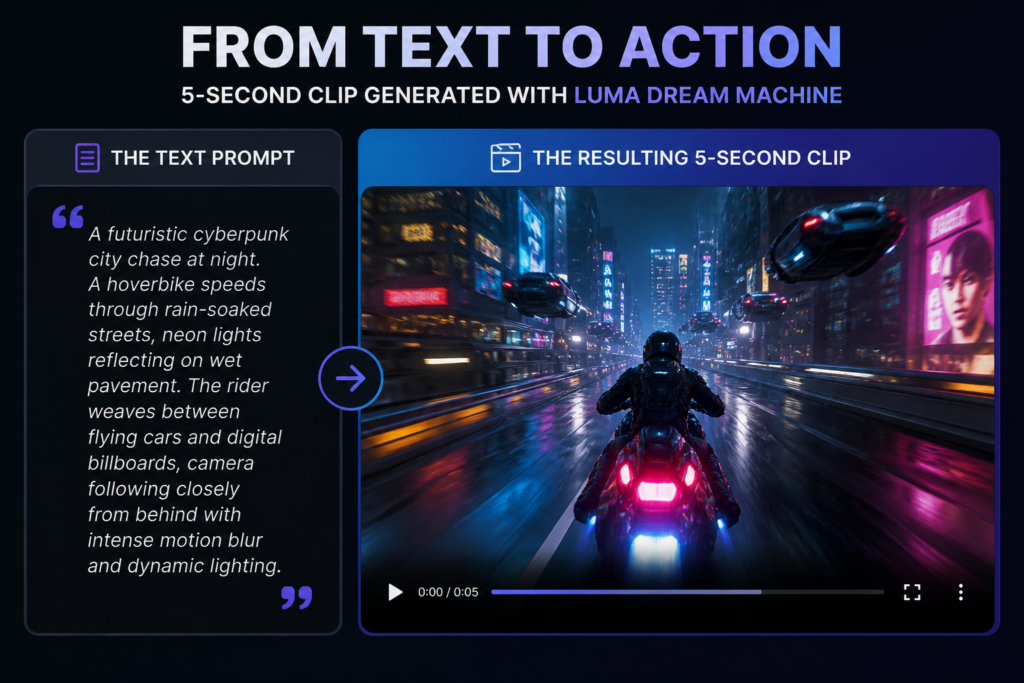
7 Best AI Video Generator Free Tools in 2026: Create Magic for Zero Dollars-Luma Labs changed the game with the “Dream Machine.” It is designed for speed and action. While tools like Sora (which is mostly paid now) focus on long narratives, Luma is the best AI video generator free choice for 5-second bursts of high-intensity action.
It’s particularly popular for creating memes and “VFX-style” clips. The physics can be a little wild sometimes—I once saw it turn a car into a loaf of bread mid-drift—but for creative exploration, it’s a blast.
How to Choose the Right Tool for Your Needs
Not all AI generators are built the same. To save you time, I’ve broken them down by the “Search Intent” they serve best:
| Need | Best Tool | Why? |
| Marketing/Ads | CapCut | Unlimited stock assets and easy text overlays. |
| Film/B-Roll | Kling 3.0 | Best physics and realistic textures. |
| Explainer Videos | HeyGen | Most realistic human avatars and lip-sync. |
| Memes/VFX | Luma 2.5 | Fast, creative, and handles high motion well. |
Common Pitfalls and How to Avoid Them
Using a best AI video generator free plan often comes with a “learning curve.” In my early days of AI experimentation, I used to write prompts that were too vague.
Instead of typing “a cat in a kitchen,” try: “A cinematic close-up of a ginger tabby cat kneading dough on a sun-drenched wooden kitchen counter, 4k, hyper-realistic, slow motion.” The more detail you provide, the less likely the AI is to give you something “cursed” (like a cat with five legs).
Moreover, remember that free tools often have “peak hours.” If a generation is taking forever, try again later in the evening. Most of these servers are under heavy load during work hours.
FAQ: Everything You Need to Know
Is there a truly free AI video generator without watermarks?
Yes, CapCut (Desktop version) and Google Veo 3.1 are currently the best options for exporting high-quality video without a permanent watermark on their free tiers.
Can I use free AI-generated videos for YouTube?
Generally, yes. However, check the terms of service. Most free plans allow “personal use,” but you might need a paid plan for full “commercial rights” if you are running a large-scale ad campaign.
How do I make the AI video look less robotic?
Use specific lighting prompts like “golden hour,” “soft bokeh,” or “moody shadows.” This adds a layer of “human” cinematic touch that the AI doesn’t always default to.
Why do AI videos sometimes look blurry?
Most free tiers limit the resolution to 720p. To fix this, you can use a free AI video upscaler to bring the quality up to 4k after the video is generated.
Are these tools safe to use?
Stick to well-known names like Google, ByteDance (CapCut), and HeyGen. Always be cautious about uploading personal photos or sensitive data to unknown, “unlimited” free sites.
Final Thoughts: Your Creative Journey Starts Now
The barrier to entry for video production has officially collapsed. Choosing the best AI video generator free tool depends on whether you value realistic physics, professional avatars, or social media editing features.
Honestly, I think we are entering a “golden age” where your imagination is the only limit. Don’t feel pressured to buy a subscription right away—play with the daily credits on Kling, experiment with CapCut, and find the workflow that feels right for you.
What’s the first thing you’re going to create? Let me know in the comments below! If you found this guide helpful, don’t forget to share it with your fellow creators!


