
Table of Contents
Have you ever wished you could record an entire podcast episode, narrate a YouTube video, or translate your content into five languages without actually stepping in front of a microphone?
It sounds like a sci-fi dream, but thanks to the rapid evolution of synthetic audio, it is now an everyday reality.
In my experience writing about AI-driven productivity tools and testing hundreds of software suites, voice synthesis has made the single biggest leap of any creative technology. Just a couple of years ago, cloned voices sounded like semi-conscious robots. Today, the best AI voice cloning tools 2026 has to offer can mimic your natural breathing, capture your unique emotional range, and translate your voice across dozens of languages.
However, with so many options flooding the market, finding the right tool for your specific workflow is challenging. Some software suites are perfect for quick social media clips, while others are built for enterprise-grade security and long-form narration. I spent over 30 hours testing the leading platforms to find out which AI voice cloning tools 2026 genuinely deliver.
📌 Key Takeaways: Quick Summary
- Best Overall Realism: ElevenLabs remains the undisputed king of emotional depth, conversational pacing, and cross-lingual accuracy.
- Best for Video & Audio Editors: Descript‘s Overdub feature lets you edit recorded audio simply by typing new text, making it the top choice for podcasters.
- Best for Budget & Speed: Fish Audio offers lightning-fast “zero-shot” cloning from just a 10-second sample, alongside incredibly flexible emotion tagging.
Why Use AI Voice Cloning in 2026?
Let’s face it: traditional voice recording is a massive bottleneck. It requires expensive studio equipment, a perfectly quiet room, and hours of editing to remove filler words. If you make a mistake, you have to set up the microphone all over again.
The latest AI voice cloning tools 2026 completely bypass these hurdles. By uploading a brief sample of your voice, these platforms build a custom digital replica. From there, you can turn any written script into high-fidelity audio in seconds.
Whether you are scaling up a YouTube channel, building localized training modules for a global team, or trying to maintain a consistent brand voice across marketing channels, utilizing professional AI voice cloning tools 2026 saves thousands of dollars and hundreds of hours of recording time.
How We Tested the Top AI Voice Cloning Tools 2026
To give you the most honest, realistic review possible, I did not just copy and paste features from product landing pages. I personally uploaded a 2-minute raw voice sample (complete with my natural cadence, slight pauses, and regional accent) to each platform.
When analyzing the top AI voice cloning tools 2026 offers, I evaluated each tool based on four strict criteria:
- Fidelity and Realism: Does the clone actually sound like me, or does it sound like a generic text-to-speech engine?
- Turnaround Speed: How quickly does the platform process the training data and generate the final speech output?
- Language Support: Can the tool accurately replicate my voice in other languages without losing my distinct tone?
- Safety & Consent: Does the platform require active verbal consent to prevent malicious deepfakes?
Here is how the top five AI voice cloning tools 2026 performed during my hands-on testing.
1. ElevenLabs — Best Overall Quality and Realism
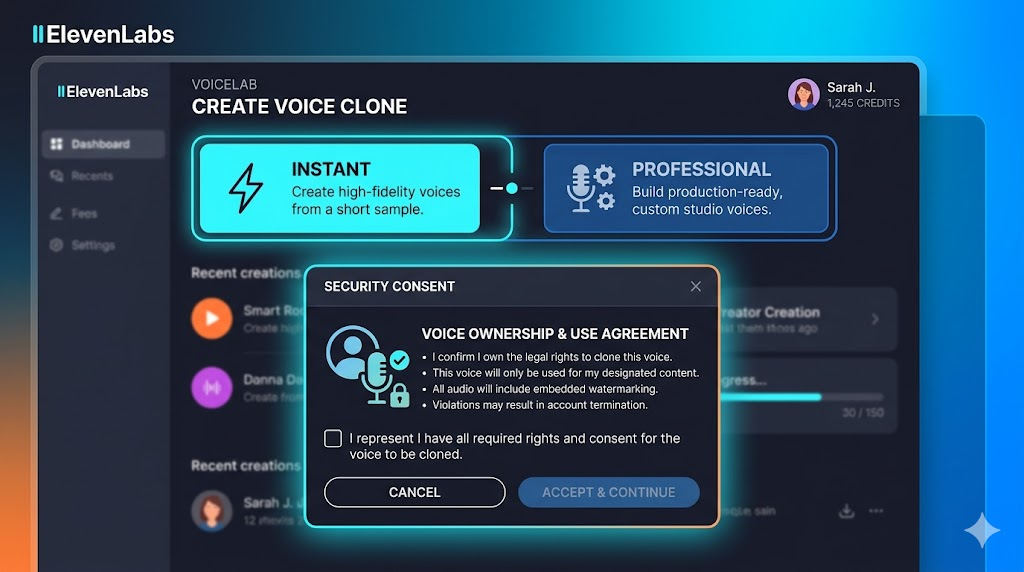
If you want an AI voice clone that is practically indistinguishable from your real voice, Eleven Labs is the gold standard.
When I tested their updated v3 model to see how it compares to other AI voice cloning tools 2026 has on the market, I was honestly blown away. The platform captured the subtle, quiet breaths I take before long sentences, as well as the slight rise in my pitch when I get excited.
Key Features and Capabilities
ElevenLabs offers two distinct tiers of cloning: Instant Voice Cloning (which requires about 30–60 seconds of audio) and Professional Voice Cloning (which requires 30+ minutes of clean audio).
If you choose the Professional route, the realism is uncanny. The model easily handles multi-speaker dialogues, translates your voice into over 70 languages, and lets you add specific audio emotion tags to direct the delivery. This depth is what sets it apart from many other AI voice cloning tools 2026 provides.
Pros:
- Unmatched emotional depth and realistic conversational pacing.
- Flawless cross-lingual capabilities; my clone spoke conversational Spanish while keeping my exact vocal identity.
- Robust security verification; you must record a live consent statement matching a random prompt before generating.
Cons:
- The Professional Voice Cloning tier can take several hours to train.
- Paid plans can get expensive quickly if you are generating massive volumes of content.
2. Descript (Overdub) — Best for Podcasters and Video Editors
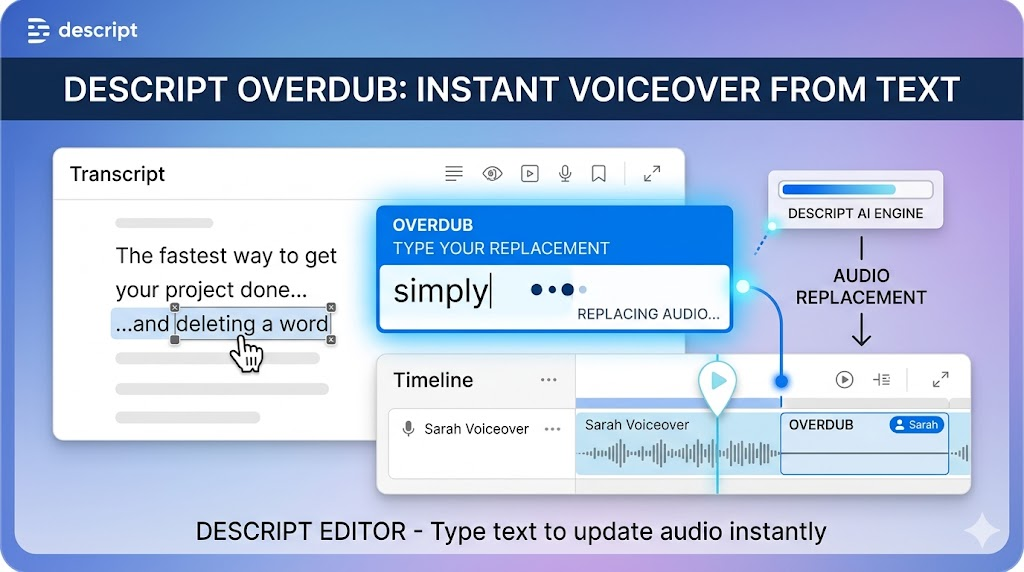
If you are a podcaster, YouTuber, or educator, you’ve probably heard of Descript. It is a transcription-first editor that allows you to edit audio files by simply editing the text transcript.
Their proprietary voice cloning feature, Overdub, stands out among AI voice cloning tools 2026 has introduced because it is designed specifically to fix mistakes in your recordings without requiring you to re-record them.
Editing Audio by Editing Text
Imagine you are listening to your podcast edit and realize you said “2024” instead of “2026.” With Descript, you don’t need to set up your mic again. You simply highlight “2024” in the text transcript, type “2026,” and Overdub generates your cloned voice to patch the audio seamlessly.
In my experience, Descript’s voice quality might not have the raw, cinematic polish of ElevenLabs, but its workflow integration is unbeatable. Among the mainstream AI voice cloning tools 2026 features, Descript made Overdub free on all basic plans, allowing you to train a basic clone in about 60 seconds.
Pros:
- Seamless, time-saving integration with standard video and audio editing workflows.
- Fixes recording errors in seconds by typing directly onto the screen.
- Great collaborative features for content teams.
Cons:
- High-quality clones require at least 10 to 30 minutes of training data.
- Not optimized for standalone, long-form text-to-speech generation outside of the editor.
3. Fish Audio (S2 Model) — Best Open-Source and Instant Option
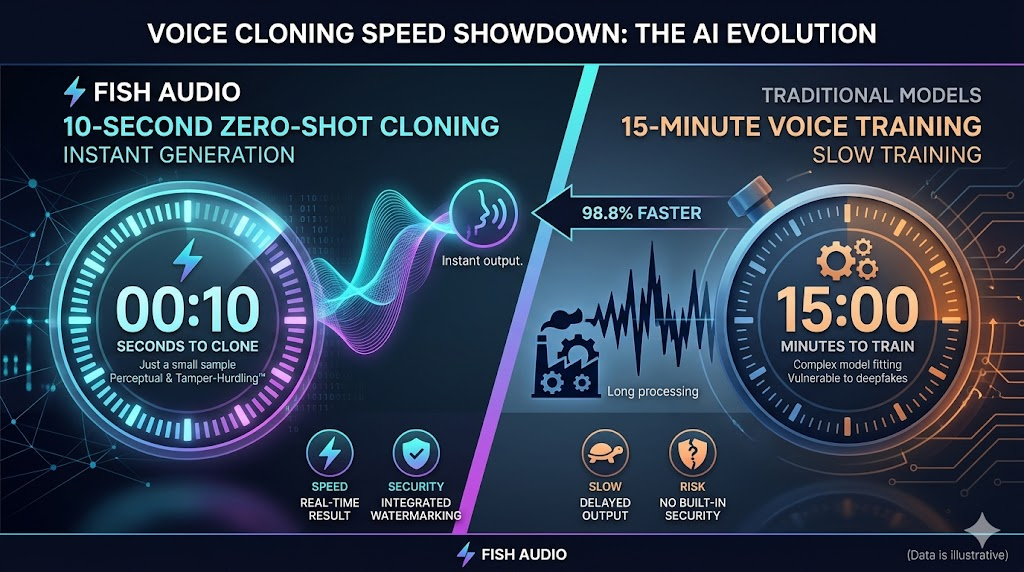
For creators who want ultra-fast results without a massive price tag, Fish Audio is a phenomenal alternative.
This platform uses an open-source architecture that has taken the AI community by storm. When exploring affordable AI voice cloning tools 2026 options, I uploaded a tiny 15-second clip from one of my old YouTube videos here. Within 30 seconds, I had a working voice clone.
Emotion and Prompting Controls
What makes Fish Audio special is its highly interactive editor. Instead of relying purely on the AI to guess the tone, you can use over 15,000 emotion tags or type freeform prompts like [whisper] or [excited] directly into your script.
Therefore, it is incredibly easy to shape the performance of your clone on a line-by-line basis. If you want to dive deeper into how this compares to other real-time engines and AI voice cloning tools 2026, you can check out some of the top ElevenLabs alternatives currently leading the real-time API space.
Pros:
- Mind-blowing “zero-shot” cloning that needs only 10–30 seconds of audio.
- Advanced emotion tags that give you granular control over the delivery.
- Highly affordable paid plans, including a functional free tier.
Cons:
- Raw audio fidelity can sometimes sound slightly thinner than ElevenLabs.
- The advanced emotion tag system takes a bit of trial and error to master.
4. Resemble.ai — Best for Enterprise Security and Deepfake Detection
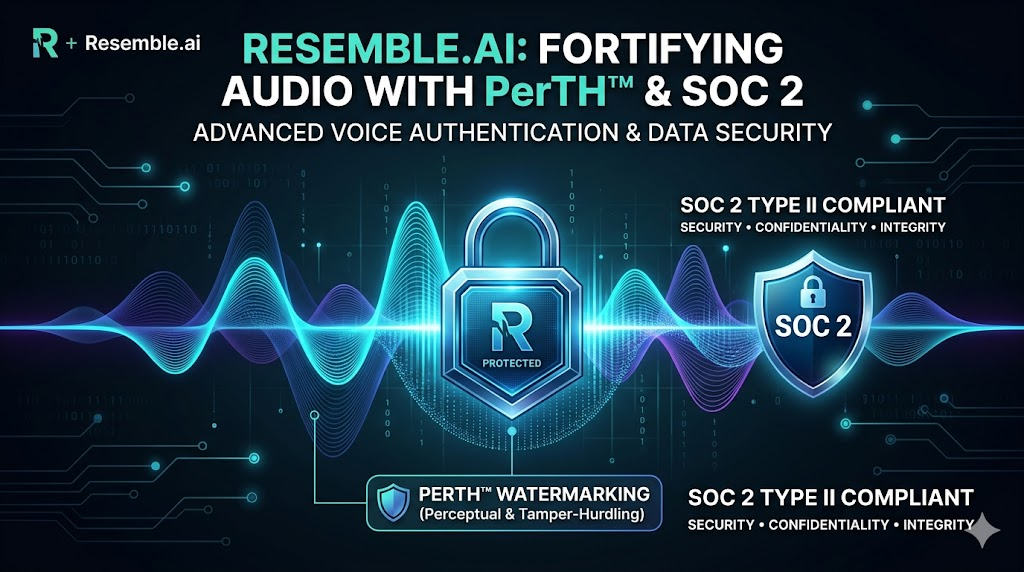
Let’s talk about the elephant in the room: security. With the rise of synthetic media, the threat of unauthorized voice cloning is a serious concern.
If you are a business owner, enterprise leader, or a creator highly protective of your likeness, Resemble.ai is the platform you should look at.
Enterprise-Grade Safety Measures
Resemble.ai doesn’t just focus on making realistic voices; they are industry leaders in securing them. They utilize “Resemble Detect,” a real-time deepfake detection tool, alongside their proprietary “PerTH” AI watermarking technology. This embeds an inaudible digital watermark into your audio, proving that the generated file is legitimate and authorized.
During my testing, their Rapid Voice Clone 2.0 engine created a highly professional replica in about 20 seconds. Moreover, the tool is fully SOC 2 compliant, making it safe for corporate training, banking applications, and sensitive media projects.
Pros:
- Industry-leading security, including real-time deepfake detection and active watermarking.
- Low-latency API, perfect for developers building real-time AI agents.
- Excellent cross-language translation support.
Cons:
- The user interface is heavily geared toward developers and enterprise users, which might feel overwhelming for casual creators.
- Custom pricing structures can be expensive for independent bloggers.
5. Murf AI — Best for E-Learning and Business Presentations
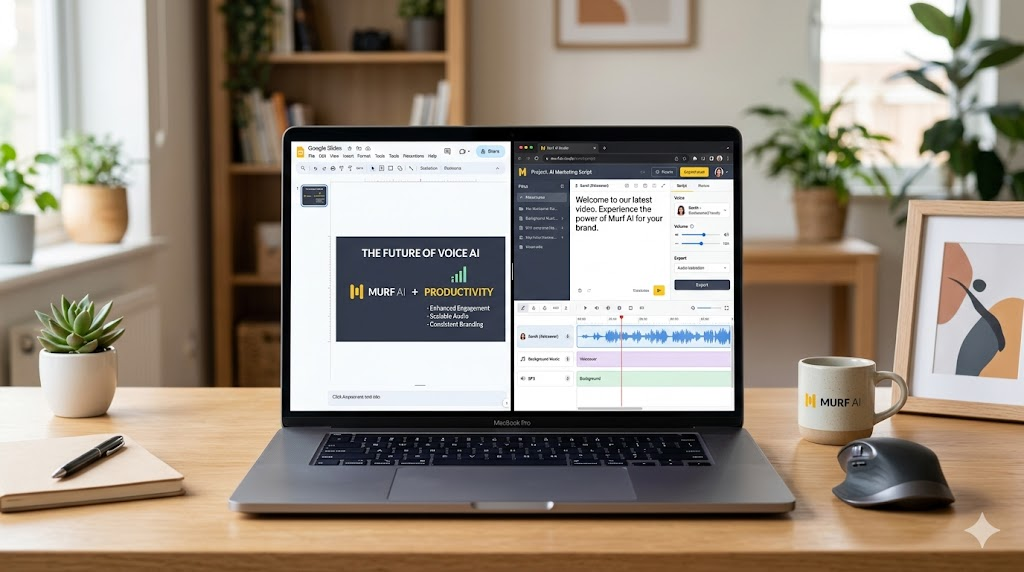
If your primary goal is to create high-quality corporate training videos, slides, or educational courses, Murf AI is an absolute powerhouse.
Rather than focusing on raw, artistic emotion, Murf is designed to deliver highly polished, professional-grade narrations.
Built-In Studio Environment
Murf features a fully integrated studio environment where you can upload slide decks, sync your audio to specific visual timestamps, and add royalty-free background music.
In my experience, training Murf’s voice clone does require a bit more effort. You will need to upload roughly 1 to 2 hours of high-quality audio recordings in WAV format. However, once trained, the scalability is fantastic. You can easily adjust the pitch, speed, and emphasis of specific words to ensure your presentations sound completely natural.
Pros:
- Excellent built-in suite for matching voiceovers to slides and video timelines.
- Over 120 built-in stock voices in 20+ languages if you don’t want to use your own clone.
- Clean, intuitive user interface that requires zero technical background.
Cons:
- Replicating high-emotion speech (like dramatic storytelling) is not its strong suit.
- Requires a significant amount of training audio up front for custom clones.
Feature Comparison Table
To help you decide at a glance, here is a quick breakdown of how these top AI voice cloning tools 2026 stack up against each other:
| Tool | Best For | Minimum Audio Required | Key Strength | Starting Price |
| ElevenLabs | Overall Realism & Depth | 60 sec (Instant) / 30 min (Pro) | Incredible emotional range & accents | $5/month (Free tier available) |
| Descript | Podcasters & Video Editors | ~60 seconds | Text-based audio editing | Free (Paid plans from $12/mo) |
| Fish Audio | Speed & Open-Source Tech | 10–30 seconds | Fast zero-shot cloning & emotion tags | Free (Paid plans from $11/mo) |
| Resemble.ai | Enterprise & High Security | 20 seconds | Built-in deepfake detection & safety | Pay-as-you-go / Enterprise |
| Murf AI | Corporate & E-Learning | 1–2 hours | Presentation syncing & studio features | $19/month (Free trial available) |
Best Practices for Cloning Your Voice Safely
Before you jump in and start generating audio, there are a few important things to keep in mind to get the best possible results.
1. Record High-Quality Source Audio
The old tech saying “garbage in, garbage out” absolutely applies here. When recording your training sample, use a decent external microphone, sit in a room with minimal echo, and speak at a steady, natural pace. Avoid using heavily edited or compressed files as your source.
2. Guard Your Voice Identity
Your voice is a key part of your personal identity. Only use platforms that take data security seriously. Ensure the platform you choose explicitly states that they will not train public models on your private data, and that they require active, ongoing consent to generate audio.
3. Maintain Transparency with Your Audience
When using cloned voices for public-facing content, it is highly recommended to be honest with your audience. A simple disclaimer like “Some audio in this video was generated using a verified AI clone of my voice” builds long-term trust and keeps you ahead of changing industry regulations.
FAQs About AI Voice Cloning
Can AI voice cloning tools replicate accents accurately?
Yes, the best tools like ElevenLabs and Fish Audio are incredibly good at capturing regional accents, dialects, and unique speech patterns. However, results can vary depending on the clarity and length of the initial training data you provide.
Are there any completely free AI voice cloning tools?
Yes, tools like Fish Audio and Minimax offer highly functional free tiers that allow you to generate cloned audio without inputting a credit card. Descript also offers a free tier for basic voice cloning using their Overdub feature.
Can someone clone my voice without my permission?
While bad actors do try to misuse technology, reputable platforms have strict safety guardrails in place. For example, ElevenLabs and Resemble.ai require users to read a random, live verbal prompt on microphone to prove they are the actual owner of the voice being cloned.
What is the difference between “Instant” and “Professional” cloning?
Instant cloning uses pre-trained AI models to match your voice from a short 10-to-30-second clip. Professional cloning trains a dedicated neural network model specifically on your voice using hours of high-quality audio, resulting in unmatched depth and realistic inflections.
Is AI voice cloning legal for commercial use?
Generally, yes. Most paid plans on major platforms grant you full commercial rights to the audio you generate using your cloned voice. Always check the specific terms of service of the tool you are using before publishing monetized content.
Final Thoughts: Which Tool is Right for You?
AI voice cloning is no longer a futuristic novelty; it is a highly practical tool that can supercharge your content creation pipeline.
If you are looking for the absolute highest quality and emotional depth, I highly recommend signing up for ElevenLabs. If you are a video creator or podcaster who wants to simplify editing, Descript is a game-changer. For those who want high-speed, flexible control on a budget, Fish Audio is absolutely worth a try.
Now, I want to hear from you! Have you tried cloning your voice yet? Which of these tools are you most excited to test out? Let me know in the comments below, and don’t forget to subscribe to the newsletter for more hands-on tech reviews!


